Watch from a hotel
On the same Wi-Fi, watching a station is free. When the viewer can't reach the station on the Wi-Fi, for example because you sit in the hotel restaurant while your child sleeps in the room, viewer and station connect over the internet instead. That takes the one-time purchase Watch From Anywhere.
Many hotel and guest networks keep devices apart, so that they can't find each other even on the same Wi-Fi. Nannavista then connects over the internet as well.
Before you go
- Pair the viewer with the station at home, with both devices next to each other; see set up your first station and viewer. If you forget, you can also pair in the hotel room: pairing works over the internet too.
- Buy Watch From Anywhere on the viewer: tap Viewer, then Settings, the slider button at the top right, and in the Watch From Anywhere section Unlock for and the price. The purchase is shared with your family through Family Sharing, so their viewers can use it as well.
If you bought it before, for example on another device, tap Restore Purchase instead. Nannavista tells you whether it found the purchase.
In the hotel
- Start the station in the room, connected to a charger and to the hotel Wi-Fi or to cellular data. When it is not on Wi-Fi, it shows Not on Wi-Fi: viewers connect over the internet.
- On the viewer, tap the station. It can use the hotel Wi-Fi or cellular data.
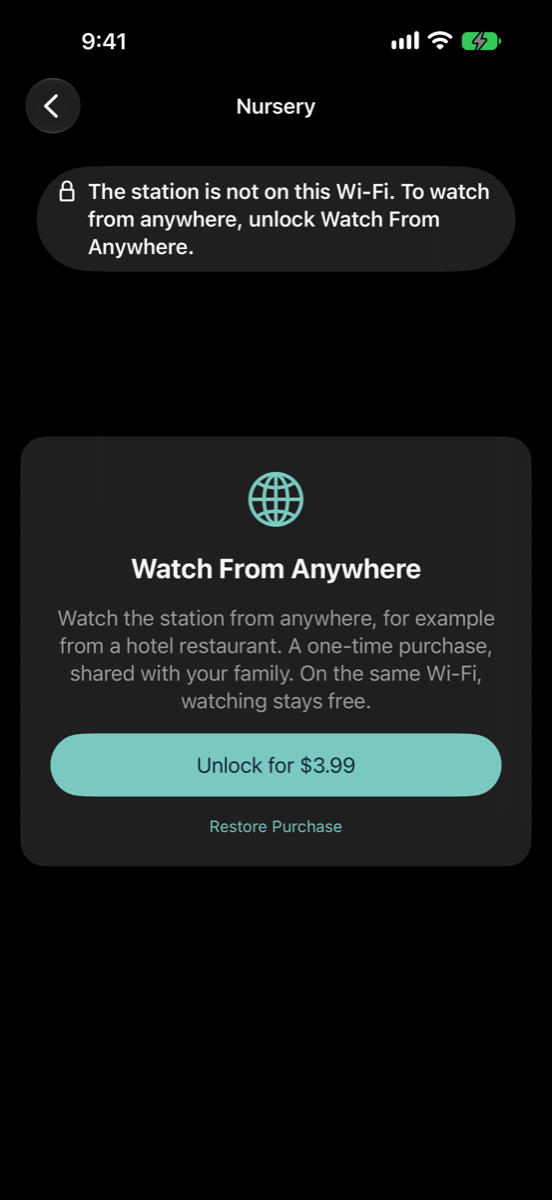
If you haven't bought Watch From Anywhere yet, the viewer offers it as soon as it finds the station only over the internet. Tap Unlock for and the price to buy it, or Restore Purchase.
Good to know
- Both devices need an internet connection. If the viewer has none, it says No internet connection. Check Wi-Fi or mobile data.
- Over cellular data, watching uses data, a lot more with the picture than with sound only. To save data, turn off Send Video in the station's settings.
- The Apple Watch always connects over the internet; it needs its own "Apple Watch" purchase, not Watch From Anywhere.
- Everything between station and viewer stays encrypted, also over the internet; see the privacy policy.