Stop the station
When your child is awake, stop the station so that it no longer sends picture and sound.
- If Guided Access is on, end it first: triple-click the side button or the Home button, enter the passcode and tap End.
- If the station's screen is black, tap it to see the picture.
- Tap Stop Station at the top left.
- Nannavista asks Stop the Station?. Tap Stop.
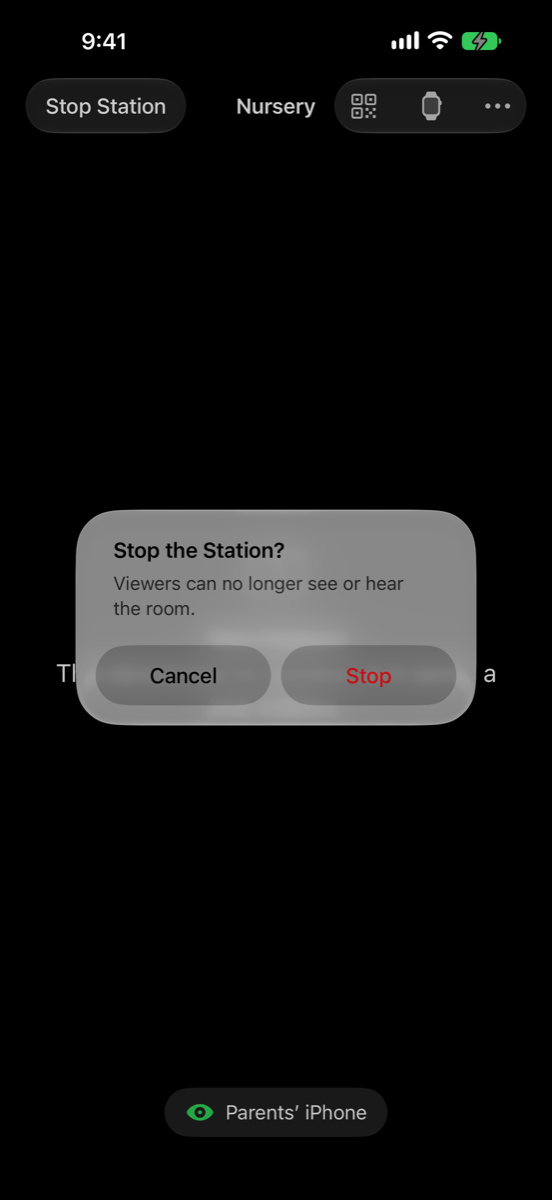
The station returns to the first screen. Its viewers can no longer see or hear the room: they show Interrupted for and sound the alarm after 20 seconds, so stop watching on them first, or right after.
Stop watching on a viewer
- In Nannavista: go back to the list of stations.
- On the Lock Screen or in the Dynamic Island: tap Stop Watching.
The pairing stays. Next time, start the station and tap it on the viewer again; there is no need to pair again.