Add a station
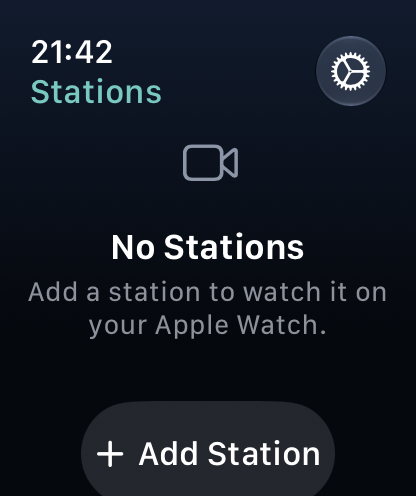
An Apple Watch has no camera, so the station scans a code that the watch shows. You need both devices in front of you. Adding a station is free.
With the pairing code
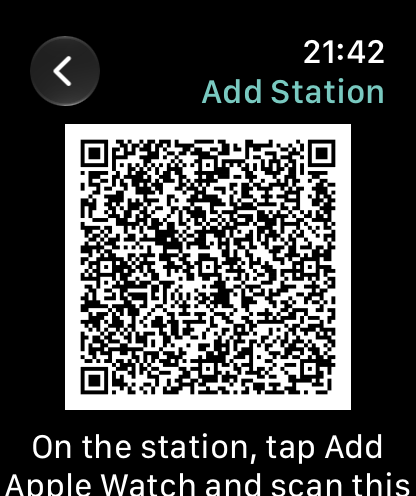
- On the Apple Watch, open Nannavista and tap Add Station. The watch shows a pairing code and how long it stays valid. When it expires, the watch shows a new one.
- On the station, tap Add Apple Watch (the watch symbol) and scan the code on the watch. The station then shows Confirm on the Apple Watch.
- The watch asks Add "Station name"?. Tap Add.

The station now lists the watch among its viewers, with a watch symbol. To remove the watch, remove it there like any other viewer.
While the pairing code is shown, the sound icon appears at the top of the watch screen: the watch plays silence while it waits for the station.
If the watch shows Can't Connect, check that it is connected to the internet, or stop music or anything else that's playing if it asks you to, then tap Try Again. If the station shows Pairing Failed, it says why; tap Scan Again to scan the code once more.
Your own iPhone
If your iPhone runs Nannavista as a station, the watch offers Add Your iPhone next to Add Station. Your iPhone does not need to scan anything:
- Open Nannavista on your iPhone and start the station.
- On the Apple Watch, tap Add Your iPhone.
- On the iPhone, allow the Apple Watch when asked.
Both apps must be open at the same time. If the watch says Open Nannavista on Your iPhone, open the app on the iPhone; the watch is added as soon as you do. If the watch says your iPhone can't be added this way, add it with the pairing code instead.
The option does not appear when your iPhone is a viewer: a viewer cannot pass its stations on to the watch.
Remove a station
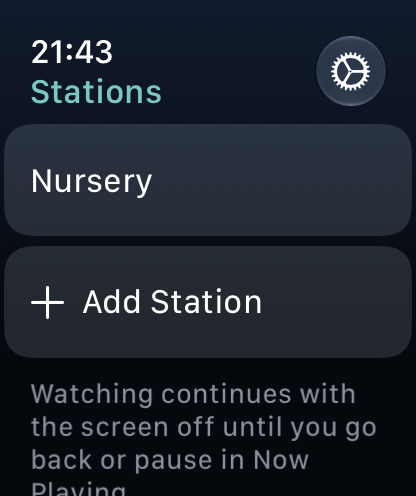
In the station list, swipe left on the station, tap Remove, then confirm with Remove. The watch can no longer watch the station until you add it again on the station.
If the station removed the watch, watching it shows Can't Watch; tap Remove Station there. See when the watch can't connect.