Settings
Open the station list on the Apple Watch and tap the gear at the top.
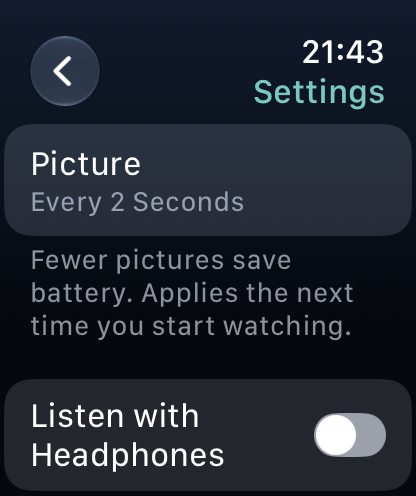
| Setting | What it does |
|---|---|
| Picture | Every 2 Seconds, Every 5 Seconds or Sound Only. Fewer pictures save battery. Applies the next time you start watching. |
| Listen with Headphones | Plays through Bluetooth headphones; the watch asks for them if none are connected. Off by default: the watch plays through its speaker, also with the screen off. |
| Apple Watch | Shows whether you own the one-time "Apple Watch" purchase. Until then, buy it here or tap Restore Purchase to bring back a purchase made before. |
The settings apply to every station on this Apple Watch.
Restore Purchase then says Purchase Restored, No Purchase Found or Couldn't Restore Purchase. If no purchase is found, make sure you're signed in with the Apple Account you bought it with.
If you close the request for headphones without connecting any, the watch doesn't start watching: connect your headphones, or turn off Listen with Headphones.